
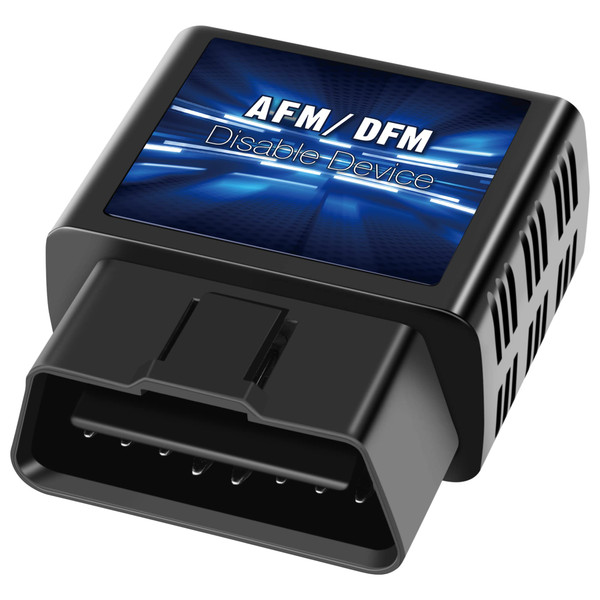


Product Overview
Brand: OBDDFM
Color: Black
Features:
- Easy Installation: No tools are required, simply plug in and start to work immediately
- Enhanced Driving Experience: OBDDFM AFM/DFM device enhances your driving experience smoothness by disabling active fuel management
- Non-Invasive Design: This AFM DOD Device does not modify your original ECU programming, unplug it to reset to factory default settings
- Wide Vehicle Compatibility: Compatible with V6 and V8 General Motors (GM) active or dynamic fuel management vehicles, includes cars, trucks and SUVs
- Compatibility Verification Required: Please check compatibility before purchasing to ensure proper fitment with your vehicle model
- OBD-II Port Connection: Plugs directly into your vehicle's onboard OBD-II diagnostic port for immediate activation and functionality
- Battery Conservation Feature: If the OBDDFM device is not used for a few days, remove the product to avoid running out of battery power
Details: 【OBDDFM AFM/DFM DISABLER】 ✔ Pug and Play-Just plug into your onboard OBD-II port and it immediately start to work. ✔ Compatible with V6 and V8 General Motors (GM) vehicles equipped with active or dynamic fuel management, including cars, trucks, and SUVs. ✔ Will not reprogram your factory ECU, Unplug it to back to factory settings. 【IMPORTANT INFORMATION】 ★ Please check compatibility before purchasing. ★ This OBDDFM AFM DFM device is NOT currently compatible with the 10-speed transmissions models and 2022+ Refresh models. ★ When the device was plugged into the port, blue lights will flash in sequence and then turn off. It just indicated that the device was connected and working normally. ★ If the OBDDFM device is not used for a few days, please take the product off to avoid running out of battery. ★ To verify that the vehicle remains in V8/V6 mode, check the dashboard display or feel the strong, smooth power output. ★ If the lights don't work as expected, make sure the OBD-II port is securely connected and confirm vehicle compatibility. ★ The two center lights are for engineering diagnostics only and are not related to normal operation. These lights can be safely ignored. 【Indicator Lights Guide】 - When Connected Blue indicator lights will illuminate when the device is connected to the vehicle. - Engine Running ❤ One solid blue light remains on ❤ One flashing blue light blinks every few seconds - Engine Off The flashing blue light will remain on for about 3 minutes before the device enters standby mode.


